

Preconfigured profiles
Ready-to-deploy mobileconfig files for managing Microsoft apps on macOS.
Upload a profile straight to your MDM, or copy the keys into a configuration of your own. Every profile is a plain mobileconfig file, so you can read exactly what it sets before you ship it.
Microsoft AutoUpdate
Enforce a global forced-update deadline for Microsoft AutoUpdate (MAU). Updates download automatically, and once the deadline passes users get a 60 minute countdown before the app is quit and updated.
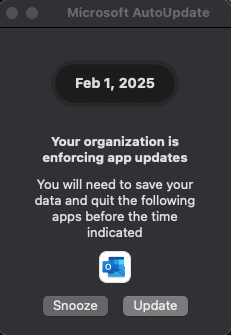
com.microsoft.autoupdate2Channel CurrentDownloads AutomaticForced quit 60 minute countdownCheck interval Every 4 hoursData privacy and telemetry
Turn off telemetry collection in each Office app and in AutoUpdate, limiting what is shared with Microsoft. Recommended for GCC High and DoD environments.
com.microsoft.Wordcom.microsoft.Excelcom.microsoft.PowerPointcom.microsoft.Outlookcom.microsoft.OneNote.maccom.microsoft.Office365ServiceV2com.microsoft.autoupdate2To download a profile, open its link and choose Download raw file on GitHub. Review the payload, then upload it to your MDM or copy the keys into your own profile.
New to mobileconfig files? The breakdown page walks through one of these profiles key by key.